~ $
This site also works in your terminal.
Paste the command into your terminal. The pixel train from the home page drives through first, then the projects, the links and the departures at Praterstern, live from Wiener Linien.
curl -sL johannesgrof.me/hi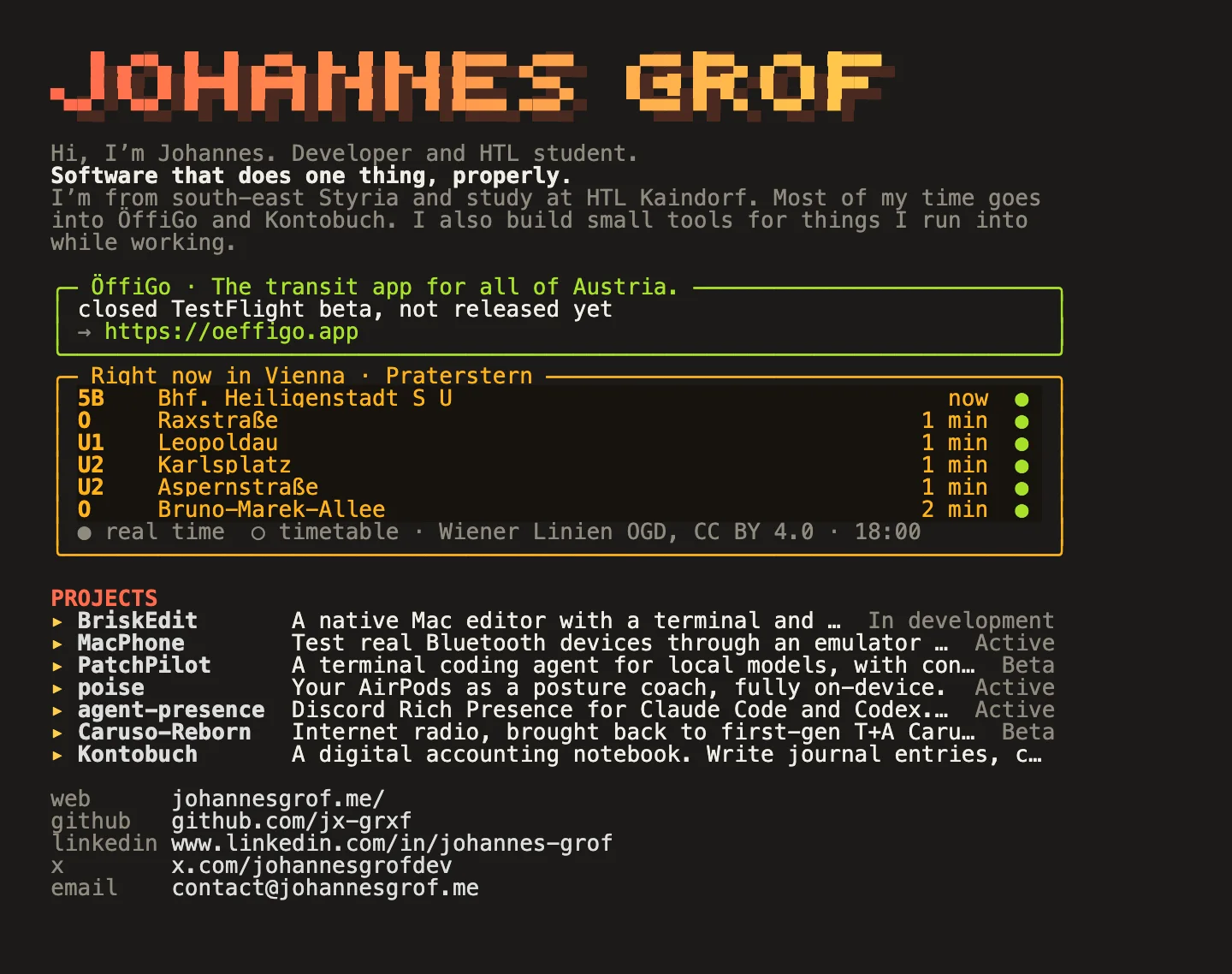
Every command
curl -sL johannesgrof.me/hi- the card with projects and live departures
curl -sL johannesgrof.me/hi/oeffi/schottentor- departures for any stop in Vienna, name in the URL
curl -sL johannesgrof.me/hi/who- how many people are on the site right now
curl -d "servus" https://johannesgrof.me/hi/sign- sign the guestbook, shows up once I've read it
curl -X POST https://johannesgrof.me/hi/zug/<code>- send the train through your tab, get the code below
curl -sL johannesgrof.me/hi/help- every command, in the terminal
Call the train
Get your own command and type it into your terminal. The pixel train then drives through this tab.
Guestbook
Signing only works from a terminal. Every entry comes to me first and shows up here and on the home page departures board once I've read it.
curl -d "servus" https://johannesgrof.me/hi/sign- Works with curl, HTTPie and xh. Colours need a terminal with 24-bit colour, which almost all have.
- Skip the train: add ?static. Links are clickable in iTerm2, kitty, WezTerm and Ghostty.